Two ways to move through the same interface
A directional remote gives you separate Up, Down, Left and Right actions, usually with a central selection button. A touchpad uses a swipe surface and a tap or other selection gesture. The exact response depends on the app and TV; a touchpad does not necessarily behave like a laptop pointer.
When directional buttons feel useful
Consider buttons when you want explicit, repeatable actions: selecting an adjacent menu item, correcting a small movement or working through a TV settings screen. Each visible arrow communicates the intended direction. Holding a button may behave differently from tapping, depending on the remote implementation.
When a touchpad feels useful
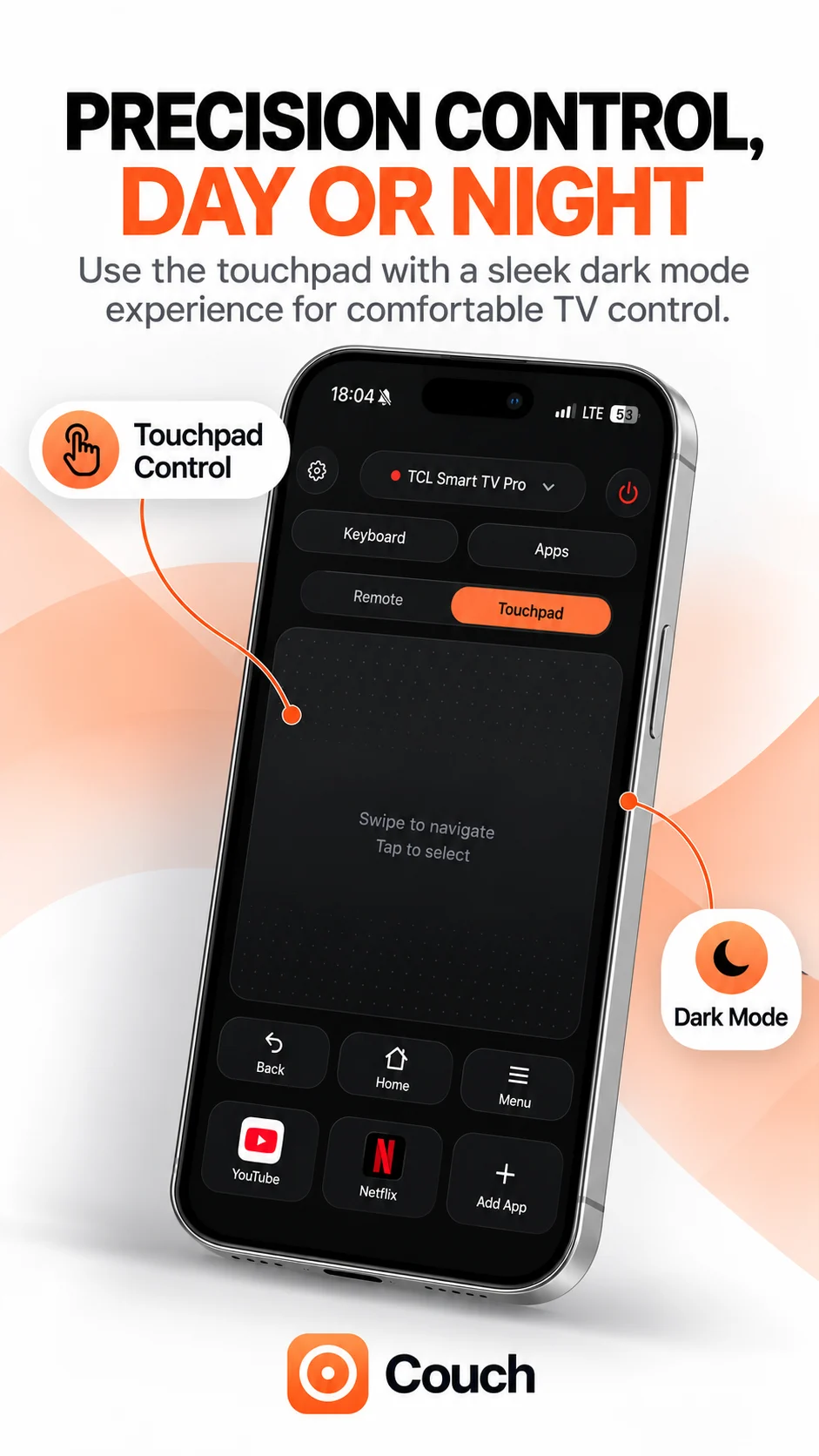
Consider a touchpad when swiping feels more comfortable than locating individual arrow controls. It can offer a large interaction area for browsing. Try short gestures first and watch how the TV responds. Gesture distance and speed should not be assumed to produce the same movement across different devices.
Choose by task and comfort
Neither mode is inherently best for everyone. Try navigating the home screen, opening a show and returning to the previous screen in each available mode. Use whichever feels more predictable. For typing a long title, a supported phone keyboard may be a better fit than either navigation method.
Accessibility and preferences
Apple documents a Directional Buttons option for its own iPhone Apple TV Remote under Settings → Accessibility → Apple TV Remote. That setting applies to Apple’s remote interface; it is not a Couch setting. Check each app’s own accessibility and control preferences.
What Couch shows
The supplied Couch interface has Remote and Touchpad modes. The touchpad panel describes swiping to navigate and tapping to select, while the remote panel shows arrows around an OK button. Its settings imagery also shows touchpad sensitivity. Release availability and TV support still need confirmation. Choose a mode based on actual behaviour on your supported TV, rather than assuming all gestures work everywhere.
Official references
Your TV. One Tap Away.
Explore Couch’s remote, touchpad, keyboard and app shortcuts for compatible TVs.
Check compatibilityApp Store link coming soon